
How to Play Roket Rudi
Controls, flying the jetpack, fuel, tanks, hazards, and meteor showers.
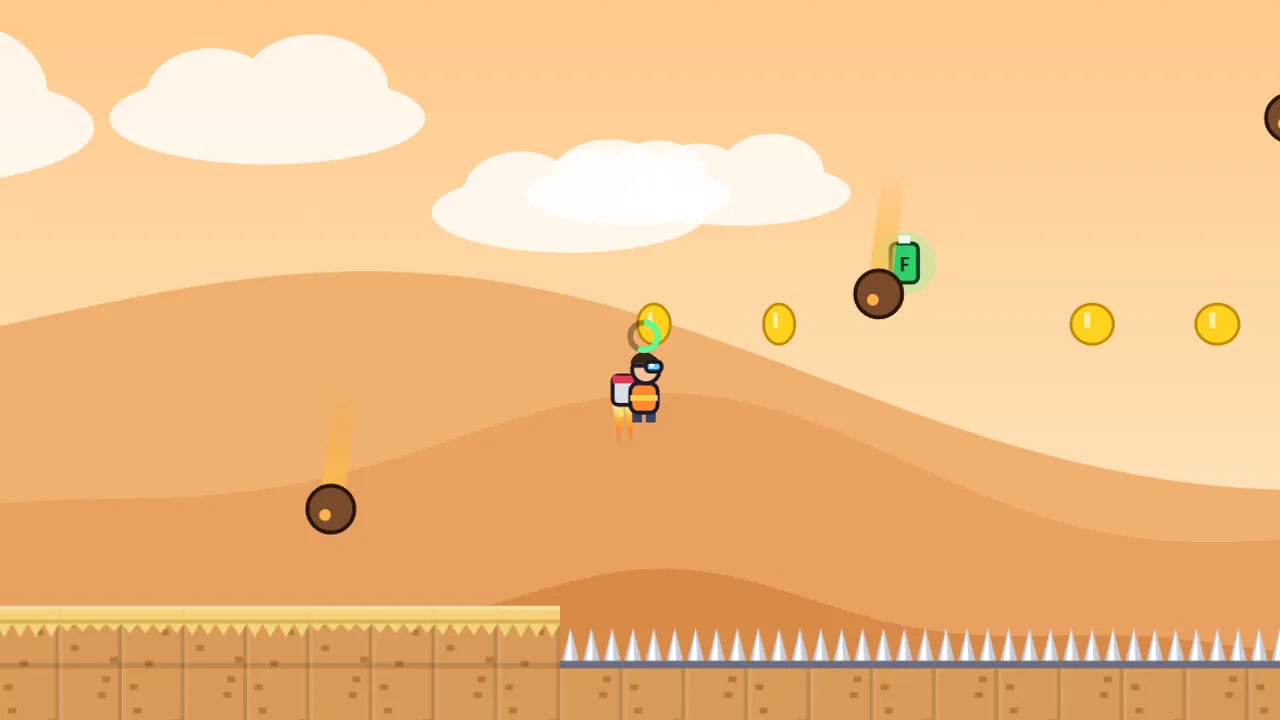
Roket Rudi (Rocket Rudi) is a platformer about Rudi, a boy in goggles who flies with a rocket backpack. The rocket is powerful, but fuel is tight: a full tank lasts only about one second of flight. The whole game revolves around one question: when to fire the rocket and when to save it. This guide explains the flight controls, how fuel works, every hazard, all 12 levels, and where the stars are.

The goal
Get Rudi from the start to the finish line in each level. The way is full of long pits, tall walls, spike-roofed tunnels, mines, and laser gates. If Rudi gets hit, he goes back to the last flag, with no life limit.
There are 12 levels in three worlds: Cloud City, Rocket Desert, and Volcano. The last level of each world is a meteor-shower level.
Controls
| Action | Keyboard | Touchscreen | Gamepad |
|---|---|---|---|
| Move | ← → / A D | Arrow buttons on the left | Left stick / D-pad |
| Jump | Press Space / Z / ↑ | Press the Rocket button | Press A |
| Fly | Hold the jump key in the air | Hold the Rocket button | Hold A |
| Pause | Esc / P | Pause button | Start |
On a phone, play in landscape. The touch buttons sit in the bottom corners so they don’t cover Rudi.
How flying works
Jump as normal, then hold the jump button. The rocket only kicks in once your jump starts to slow, so no fuel is wasted while Rudi is still shooting upward from the jump. Let go to cut the rocket and glide down.
The rocket pushes Rudi upward at a capped climbing speed. Holding longer doesn’t make him rise faster, only for longer. You can still move left and right while flying.
Fuel
A full tank lasts about one second of continuous flight. You can see how much is left in two places:
- The ⛽ gauge at the top of the screen.
- A small ring above Rudi’s head, which turns red when it’s nearly empty.
Fuel refills quickly whenever Rudi is standing on the ground. So a small ledge in the middle of a pit isn’t just a rest stop. It’s where you refill your tank.
Green tanks
Green tanks marked F float above long pits. Touch one to refill your fuel completely in mid-air. A tank you’ve used reappears after a few seconds, so you can try again if you fall.
Hazards
- Spikes: at the bottom of pits and on tunnel ceilings.
- Floating mines: drift slowly up and down with a blinking red light.
- Laser gates: switch on and off in a steady rhythm. A thin flashing line warns that the laser is about to turn on.
- Meteor showers: in the last level of each world, meteors fall from the sky. A red shadow on the ground shows where each one will land.
Three worlds, 12 levels
Cloud City
First Flight teaches the rocket basics, Magic Tanks introduces fuel tanks, and Cloud Mines adds floating mines. The world ends with Meteor Shower!
Rocket Desert
Mirage, Sand Tunnel, and Desert Storm add spike-roofed tunnels and laser gates. The finale is Desert Meteors!
Volcano
Hot Crater, Magma Tunnel, and Heart of Fire combine every hazard with the longest pits. The final level, Great Eruption!, is the biggest test of fuel management.
Stars and checkpoints
Every level has exactly 3 stars, 36 in total:
- One star on top of a tall tower.
- One star high above a green tank.
- One star in a narrow tunnel with a spiked ceiling.
Flags are checkpoints. Stars you’ve collected stay counted even if you fall. Progress, stars, and best times save automatically in your browser.
Common beginner mistakes
- Holding the button from the moment you jump. The normal jump is free. The rocket only works once the jump slows, so use the full jump first.
- Flying too high. In spike-roofed tunnels, holding the rocket too long makes Rudi hit the ceiling.
- Not landing to refill. Small ledges along the way refill the tank completely.
- Standing still in a meteor shower. Meteors aim around you, so keep moving.
Frequently asked questions
Can the fuel tank be upgraded?
No. Everyone has the same tank. Your button control is the only “upgrade”.
Can I play Roket Rudi on a phone?
Yes, in landscape, with arrow buttons on the left and a Rocket button on the right.
Want to fly more efficiently? Read the Roket Rudi tips, or jump in and play Roket Rudi.
Continue practicing in Roket Rudi.